Optimizing graphic rendering for real-time applications, especially in video games, is paramount for delivering an engaging and seamless user experience. The performance of graphics rendering directly impacts frame rates, visual fidelity, and user satisfaction. This comprehensive exploration will delve into the key performance considerations necessary for optimizing graphic rendering in real-time scenarios.
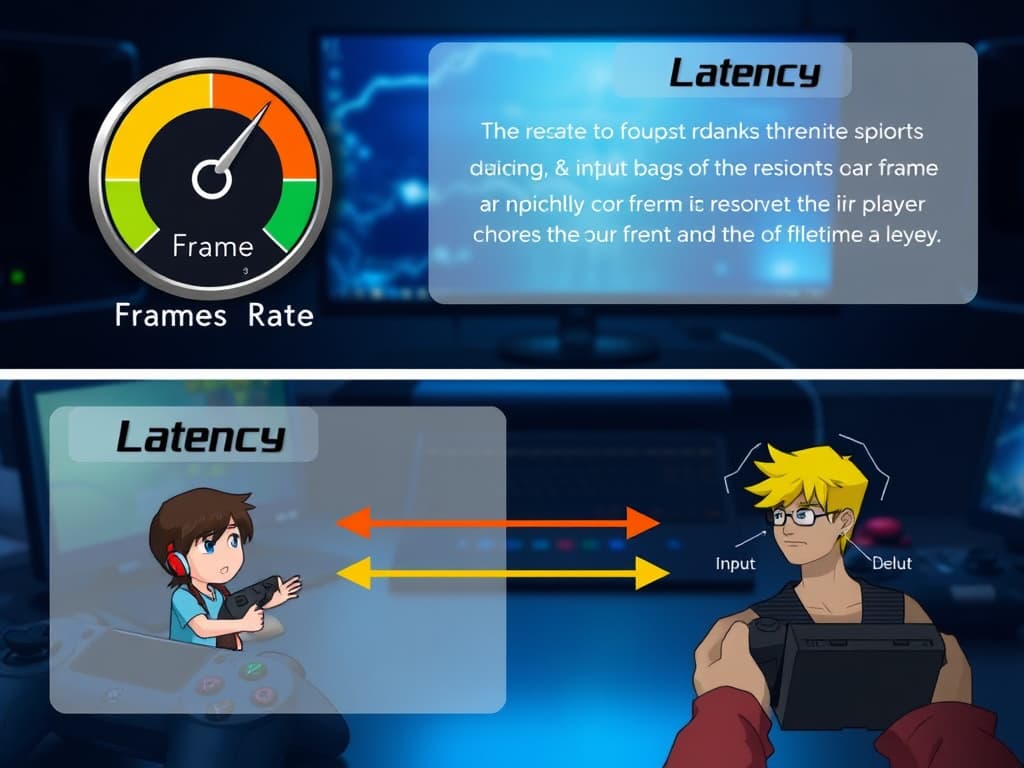
1. Frame Rate and Latency
Frame Rate
The frame rate, measured in frames per second (FPS), is the most critical metric for real-time rendering. A higher frame rate typically correlates with smoother animations and more responsive controls. For most games, a target frame rate of 60 FPS is standard; however, competitive games and high-end titles often aim for 120 FPS or even higher.
Importance of Frame Rate:
- A higher frame rate enhances the fluidity of motion, making the gameplay experience more immersive.
- Low frame rates can lead to choppy visuals, which may cause motion sickness or disengagement from players.
Latency
Latency refers to the delay between user input and the visual response on-screen. In real-time applications, minimizing latency is crucial for maintaining an engaging user experience. The goal is to ensure that the user feels a direct connection between their actions and the responses on screen.
Strategies to Reduce Latency:
- Optimizing Rendering Pipelines: Streamlining the rendering process to decrease the time taken for frame processing can significantly lower latency.
- Input Prediction: Using algorithms to predict user actions can provide immediate feedback, which is especially useful in fast-paced environments.
2. Level of Detail (LOD)
Level of Detail (LOD) is a technique that optimizes performance by adjusting the complexity of 3D models based on their distance from the camera. Objects that are further away can be rendered with fewer polygons, while those that are close should maintain high detail.
Benefits of LOD:
- Reduces the number of vertices processed, leading to improved performance.
- Minimizes the computational load on the GPU, allowing for higher frame rates.
Implementation of LOD:
- Automatic LOD Generation: Many modern engines provide tools for automatically generating LOD models based on the original high-poly model.
- Artist-Driven LOD: Artists can create custom LOD models to ensure that specific details are preserved where necessary.
3. Culling Techniques
Culling techniques are essential for optimizing rendering performance by excluding objects from the rendering pipeline that are not visible to the camera. By implementing effective culling methods, developers can drastically improve performance.
Types of Culling:
- Frustum Culling: This technique excludes objects that lie outside the camera’s view frustum. Only objects within the frustum are processed for rendering.
- Occlusion Culling: This method identifies objects that are blocked by other objects and excludes them from rendering. Techniques such as bounding volume hierarchies and occlusion queries can effectively implement occlusion culling.
- Backface Culling: Backface culling discards polygons that are not visible to the camera. Typically, this involves eliminating polygons that face away from the viewpoint, reducing the number of triangles processed.
Advantages of Culling:
- Minimizes the workload on the GPU.
- Reduces the number of draw calls, improving overall rendering efficiency.

4. Batching and Draw Calls
In graphic rendering, each object in a scene typically requires a draw call, which can be resource-intensive. Reducing the number of draw calls is essential for optimizing performance.
Techniques for Reducing Draw Calls:
- Static Batching: This technique groups static objects (objects that do not move) together for rendering in a single draw call. This significantly reduces the overhead associated with multiple draw calls.
- Dynamic Batching: Dynamic batching groups dynamic objects that share the same material. While this is more challenging than static batching, it can still yield substantial performance improvements.
- Instancing: Instancing allows multiple instances of the same object to be rendered with a single draw call. This is particularly useful for rendering scenes with many identical objects, such as trees in a forest.
Benefits of Batching:
- Reduces CPU overhead and increases rendering performance.
- Enables more complex scenes to be rendered efficiently.
5. Texture Optimization
Textures play a critical role in enhancing the visual quality of 3D models, but they can also consume significant resources. Optimizing textures is vital for maintaining performance.
Strategies for Texture Optimization:
- Resolution Management: Using lower-resolution textures for distant objects and higher resolutions for close-ups can save memory and processing power.
- Texture Atlases: Combining multiple textures into a single atlas can reduce the number of texture bindings and draw calls. This is particularly effective for environments with many small objects.
- Mipmapping: Mipmaps are pre-calculated, lower-resolution versions of textures that are used based on the distance to the camera. This not only improves performance but also reduces visual artifacts, such as aliasing.
Benefits of Texture Optimization:
- Reduces memory usage and improves loading times.
- Enhances rendering performance by minimizing the overhead associated with texture bindings.

6. Shader Optimization
Shaders are programs that dictate how pixels and vertices are processed in the rendering pipeline. Optimizing shaders is crucial for improving performance.
Techniques for Shader Optimization:
- Simplifying Shader Logic: Reducing the complexity of calculations and using fewer instructions can lead to faster shader execution times.
- Using Shader Variants: Pre-compiling shaders for different hardware capabilities can optimize performance by allowing the graphics engine to select the most efficient code paths.
- Avoiding Excessive State Changes: Minimizing the number of state changes during rendering (such as changing shaders or textures) can lead to performance gains.
Importance of Shader Optimization:
- Optimized shaders can significantly reduce the computational load on the GPU, allowing for higher frame rates and better visual quality.
7. Lighting Techniques
Lighting calculations are essential for creating realistic scenes, but they can also be computationally expensive. Optimizing lighting techniques is crucial for maintaining performance in real-time applications.
Strategies for Lighting Optimization:
- Static vs. Dynamic Lighting: Using baked lighting for static objects can reduce the need for real-time calculations. Baked lighting involves pre-calculating light interactions and storing the results in textures.
- Light Culling: Limiting the number of lights affecting an object based on distance and importance can help maintain performance. For example, only the closest lights should impact nearby objects.
- Deferred Shading: This technique decouples geometry rendering from lighting calculations, allowing for more complex lighting scenarios without significantly impacting performance.
Advantages of Optimized Lighting:
- Reduces the computational load, allowing for more complex scenes and higher frame rates.
- Enhances visual quality while maintaining performance.
8. Post-Processing Effects
Post-processing effects can enhance visual quality, but they can also be performance-heavy. Optimizing these effects is essential for maintaining a balance between visual fidelity and performance.
Techniques for Post-Processing Optimization:
- Selective Application: Applying post-processing effects only to necessary elements rather than the entire scene can save resources. For example, applying bloom effects only to bright areas can enhance performance.
- Lowering Resolution: Reducing the resolution of post-processing effects can save processing power while still achieving satisfactory visual quality.
- Using Efficient Algorithms: Implementing optimized algorithms for effects like bloom, motion blur, and depth of field can help maintain performance levels.
Importance of Post-Processing Optimization:
- Allows developers to create visually appealing scenes without sacrificing performance.
- Ensures that the game remains responsive and enjoyable for players.
9. Hardware Utilization
Effective use of hardware resources is essential for optimizing rendering performance. This involves leveraging the capabilities of both the CPU and GPU.
Key Considerations for Hardware Utilization:
- GPU Utilization: GPUs are designed for parallel processing and can handle complex calculations more efficiently than CPUs. Utilizing the GPU effectively can lead to significant performance improvements.
- CPU-GPU Synchronization: Balancing the workload between the CPU and GPU is crucial to prevent bottlenecks. Profiling tools can help identify which component is causing delays.
- Profiling and Benchmarking: Regularly profiling the application can help identify performance bottlenecks and guide adjustments to resource allocation.
Benefits of Optimized Hardware Utilization:
- Maximizes the performance potential of the available hardware.
- Ensures a smooth and responsive gaming experience.
10. Memory Management
Efficient memory management is crucial for real-time rendering. This involves optimizing how resources are loaded, allocated, and freed during gameplay.
Strategies for Memory Management Optimization:
- Resource Loading: Implementing asynchronous loading techniques can prevent frame drops during resource-intensive operations. This allows resources to be loaded in the background while the game is running.
- Memory Pooling: Reusing memory allocations for frequently used resources can minimize fragmentation and improve performance, particularly in environments with many dynamic objects.
- Garbage Collection: Reducing the frequency of garbage collection events can help maintain performance, especially in languages with automatic memory management. Techniques like object pooling can help manage memory more efficiently.
Importance of Memory Management Optimization:
- Reduces loading times and improves frame rates.
- Enhances the overall user experience by minimizing interruptions during gameplay.

11. Networking Considerations
For multiplayer games, networking can significantly impact rendering performance. Optimizing network performance involves strategies that reduce latency and bandwidth usage.
Key Strategies for Networking Optimization:
- State Synchronization: Efficiently synchronizing the state of objects across clients can reduce bandwidth usage. Techniques like delta compression (sending only changes) can help minimize data transmission.
- Client-Side Prediction: Implementing prediction algorithms allows the client to predict the outcome of user actions, providing immediate feedback and smoothing out the experience during latency issues.
- Interest Management: Sending updates to clients only for objects that are relevant to them can reduce unnecessary data transmission, improving overall performance.
Benefits of Networking Optimization:
- Enhances the multiplayer experience by reducing lag and improving responsiveness.
- Allows for smoother gameplay in networked environments.
12. Testing and Iteration
Testing and iteration are vital components of optimizing graphic rendering. Regularly assessing performance and making necessary adjustments can lead to significant improvements.
Strategies for Testing and Iteration:
- Playtesting: Regular playtesting helps identify performance bottlenecks and areas for improvement. Gathering feedback from testers can provide insights into how the game performs under different conditions.
- User Feedback: Collecting feedback from users can reveal performance issues that may not be immediately apparent to developers. It’s essential to prioritize user experience in optimization efforts.
- Continuous Profiling: Implementing continuous profiling tools during development can help maintain performance standards. These tools can identify areas that require optimization before they become problematic.
Importance of Testing and Iteration:
- Ensures that performance remains a priority throughout the development cycle.
- Facilitates ongoing improvements based on real-world conditions and player feedback.
13. Emerging Technologies and Trends
As technology continues to evolve, new opportunities for optimizing graphic rendering emerge. Staying updated with the latest tools, techniques, and hardware advancements can provide significant advantages.
Key Emerging Trends:
- Real-Time Ray Tracing: This technology simulates realistic lighting by tracing rays of light as they interact with objects. While computationally intensive, advancements in hardware and algorithms are making real-time ray tracing more feasible for games.
- Machine Learning and AI: Integrating machine learning algorithms into rendering processes can optimize performance by predicting and adjusting rendering techniques based on real-time analysis of scenes and user interactions.
- Cloud Gaming: As cloud technology matures, the potential for offloading rendering to powerful cloud servers can allow for high-quality graphics on lower-end devices. This shift requires new optimization strategies focused on streaming performance and latency.
Importance of Staying Current:
- Adopting new technologies can improve rendering performance and visual fidelity.
- Keeping pace with industry trends ensures that developers remain competitive and capable of delivering high-quality experiences.
Conclusion
Optimizing graphic rendering for real-time applications is a multifaceted challenge that requires a comprehensive approach. By focusing on key performance considerations such as frame rate, LOD, culling techniques, batching, shader optimization, lighting, post-processing effects, hardware utilization, memory management, networking, and ongoing testing, developers can create visually stunning, high-performance applications. As technology continues to advance, staying updated with the latest techniques and best practices will be essential for pushing the boundaries of real-time graphics rendering, ultimately enhancing the user experience in video games and other interactive applications.